Workflow guide

ChatGPT audio to text: what it can and cannot do

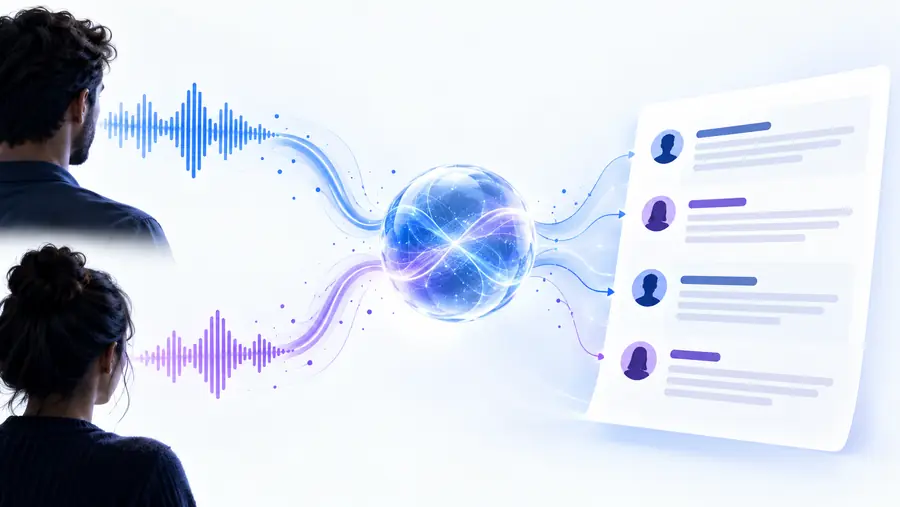
ChatGPT audio to text workflows can be useful for turning a recording into a workable draft, summarizing spoken ideas, or extracting action items. The result depends on the ChatGPT surface, account, model, file handling, and the quality of the recording.

Review output before sharing
ChatGPT audio to text workflow overview

this entry point vs the general one

ChatGPT is one possible interface for working with spoken content. A general audio-to-text tool is usually more focused on transcription itself, while ChatGPT adds a conversational layer around the transcript.

ChatGPT audio workflow

Our pick

Best when the transcript is only the first step.

  • You can ask for summaries, action items, outlines, or other transformations in the same conversation.
  • Useful when you want to refine the result through follow-up instructions.
  • Can connect spoken material to a broader writing or analysis task.
  • Capabilities vary by ChatGPT plan, model, app, and current file support.
  • The output may be a summary or interpretation rather than a complete verbatim transcript.
  • You need to review names, numbers, quotations, and sensitive passages.

General audio-to-text converter

2

Best when you need a dedicated transcript from a supported file.

  • The primary task is clear: convert an audio recording into written text.
  • A focused interface can make file selection, language settings, and transcript review easier.
  • Better suited to a repeatable transcription-first workflow.
  • You may need another tool for summaries, structured notes, or follow-up analysis.
  • The workflow can involve exporting the transcript and moving it elsewhere.
  • Features and supported formats still differ between products.

Related routes

Choose the route that matches the job: a focused service, an AI-assisted workflow, or a named platform comparison.

the 3 things only it does

The useful distinction is not simply whether words appear on a page. ChatGPT is most relevant when you want to do something with the spoken material after, or alongside, transcription.

Choose this when

You need a rough transcript plus a usable summary

Give ChatGPT the supported audio or transcript and request a concise summary with the main points.

This reduces the handoff between transcription and note-making, especially for interviews, calls, and personal recordings.

Choose this when

You need structured outputs from spoken content

Ask for decisions, tasks, themes, questions, or a chronological outline instead of only asking for raw text.

The conversational interface is valuable because the same source can be reorganized for different readers.

Choose this when

You need to revise the result interactively

Point out a missed phrase, change the desired format, or ask for a shorter or more detailed version.

Follow-up prompts can make the draft more useful without restarting the entire analysis, provided the source remains available.

limits

Treat the route as an assisted workflow, not an automatic authority. These caveats are especially important for confidential, technical, multilingual, or high-stakes recordings.

Support can vary by surface

ChatGPT features are not necessarily identical across the web app, mobile app, desktop app, models, or account types.

Workaround

Check the controls available in the exact ChatGPT surface you plan to use, then test with a non-sensitive clip.

A summary is not a transcript

A request for notes may omit repetitions, uncertain wording, timestamps, speaker changes, or short but important statements.

Workaround

Ask explicitly for a transcript first, then request a separate summary and compare both outputs.

Audio quality affects accuracy

Background noise, overlapping speakers, accents, domain terminology, weak microphones, and low volume can produce errors.

Workaround

Use the clearest source available and manually verify names, figures, quotations, and technical terms.

Privacy needs your judgment

Uploading or sharing a recording may expose personal, confidential, or regulated information to a third-party service.

Workaround

Obtain appropriate permission, remove unnecessary sensitive material, and follow your organization’s data policy.

A compact decision snapshot

These figures describe the shape of this page’s workflow, not a promise about ChatGPT performance or availability.

Transcription, transformation, and interactive revision
3 jobs
ChatGPT as an interface or a dedicated converter
2 routes
Human verification remains important before reuse
1 review

Choose the workflow that fits the recording

If you want a transcript that can immediately become notes, an outline, or a set of actions, ChatGPT may be a practical starting point. If you need dependable transcription controls, repeatability, or a clear transcript-first process, compare it with a dedicated audio-to-text route. In either case, inspect the output before treating it as a record.

Try the audio workflow
  • Start with a non-sensitive recording
  • Ask for the output format you actually need
  • Verify names, numbers, and important quotations

its own FAQ

Answers to common questions about using ChatGPT for audio and spoken-content workflows.

ChatGPT may be able to work with audio or an audio-derived file depending on the app, model, account, and current feature support. When available, it can produce a transcript or use spoken content as the basis for another task, but you should confirm the result against the recording.

Open the ChatGPT surface that supports your intended input, provide the recording or an available transcript, and state whether you want verbatim text, a cleaned transcript, or a structured summary. Review the output carefully, especially for names, numbers, overlapping speakers, and unclear passages.

Neither option is universally better. ChatGPT is useful when transcription is part of a larger conversation or analysis task, while a dedicated converter may be a better fit when you need a repeatable, transcription-first workflow with focused controls.

That depends on the ChatGPT surface, model, account, file limits, and the recording itself. If the file is not accepted or the result becomes incomplete, split the recording into manageable sections or use a dedicated transcription route before bringing the text into ChatGPT.

Accuracy varies with recording quality, background noise, speaker overlap, accents, language, and specialized vocabulary. Treat the output as a draft until you verify important passages against the original audio.

Start converting
Start converting